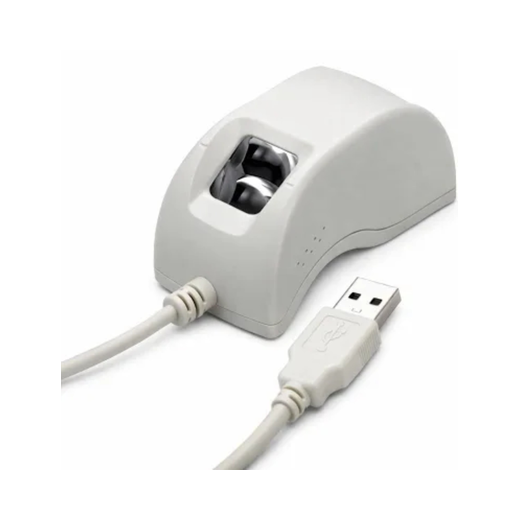
 Morpho / IDEMIA device image
Morpho L1
IDEMIA Morpho RD Service Renewal
MSO 1300 E3 RD L1 आणि Morpho biometric device साठी official renewal, download आणि validity check links.
Morpho / IDEMIA scanner साठी whitelisting, renewal, driver download आणि validity check करण्यासाठी special page.
टीप: Amount, validity आणि eligibility official portal वर बदलू शकते. Payment करण्याआधी device serial number काळजीपूर्वक तपासा.
Official Links
Renew / Whitelist RD ServiceOfficial IDEMIA/Morpho renewal product page↗
Check Validity / Serial StatusOfficial RD Service Online validity page↗
RD Driver DownloadsOfficial Morpho/IDEMIA downloads↗
IDEMIA Biometric PortalOfficial IDEMIA support portal↗
MSO 1300 E3 L1 RD AppGoogle Play L1 RD service↗
Renewal साठी लागणारी माहिती
- Morpho device serial number
- Model: MSO 1300 E3 / E2 / V3
- Validity year: 1 / 2 / 3 years
- Registered mobile/email
- Aadhaar service application requirement
Important Tips
- L0 devices साठी phase-out notice असल्यामुळे L1 status/compatibility आधी तपासा.
- L1 whitelisting payment नंतर काही वेळ लागू शकतो.
- Windows साठी http/https localhost driver योग्य निवडा.
Customer Guide
- Device sticker वर serial number वाचा.
- Official renewal link वर serial number टाका.
- Payment successful झाल्यावर RD service restart करा.
- Validity/status पुन्हा check करा.
Warning: Aadhaar OTP, biometrics, PID/XML data कोणालाही share करू नका.